

Overview
Every bill submitted in HitPay goes through an approval rule before it can be paid, giving you an audit trail and separation between who submits a payment and who authorises it. By default, every business starts with a single rule: all bills route to the Owner. Owners and Admins can customise this with rules based on amount.Setting up approval rules
Approval rules live under Settings > Approval Rules. Each rule covers an amount range - for example, 1,000, 10,000, and $10,000+ - and ranges must be mutually exclusive, with no gaps or overlaps. Each range has one or more sequential approval steps, and each step needs at least one approver - either any user with the Admin role, specific named users, or both (up to 5 approvers per step; the Cashier role can’t approve). A step only activates once the previous step has been approved. Example: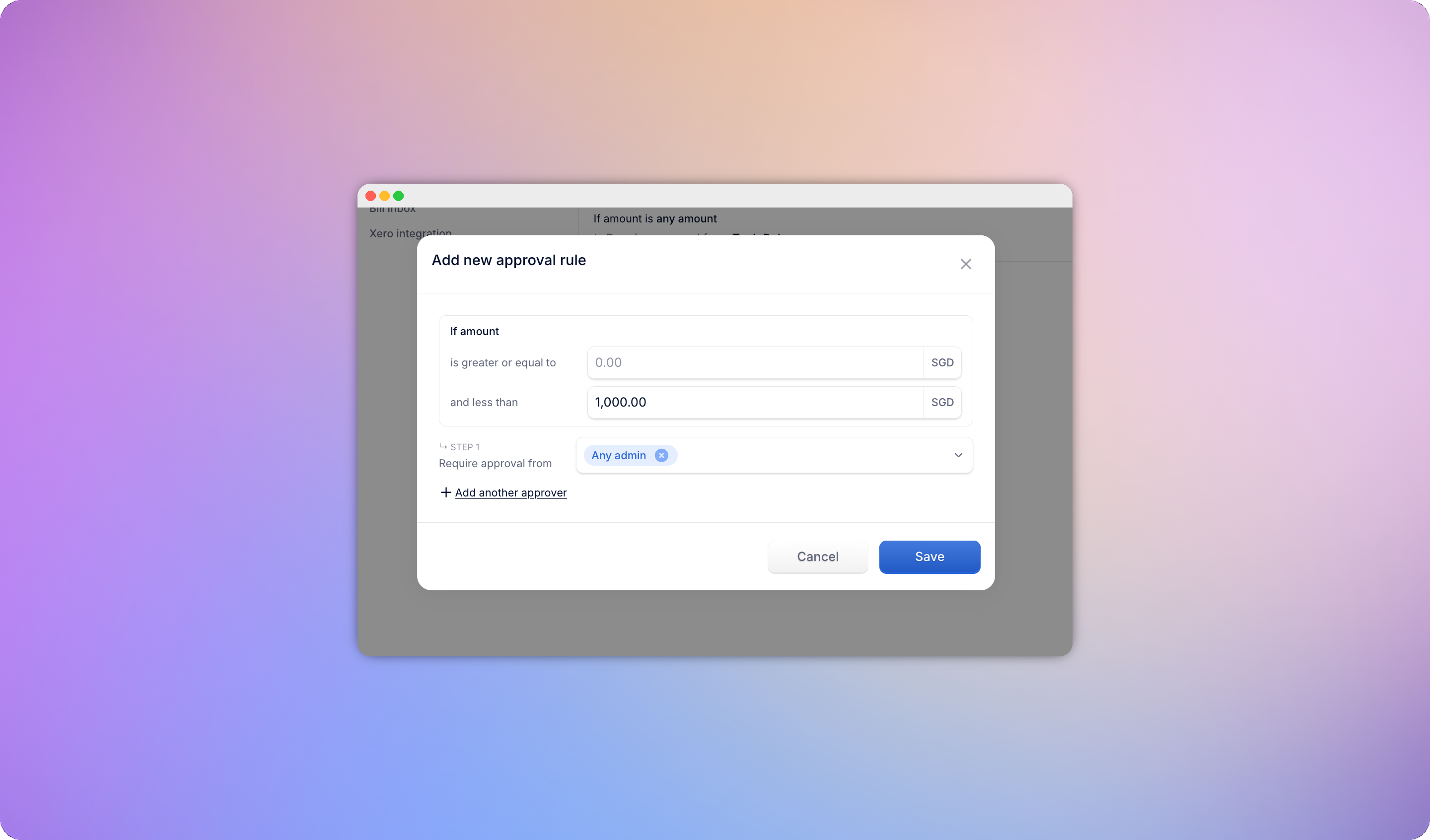
Self-approval skip
If the person submitting a bill is also an assigned approver on a step, that entire step is skipped automatically - the bill advances to the next step they’re not part of. If they’re the only approver across every remaining step, the bill moves straight through to its next stage without requiring a separate approval.Approving or rejecting a bill
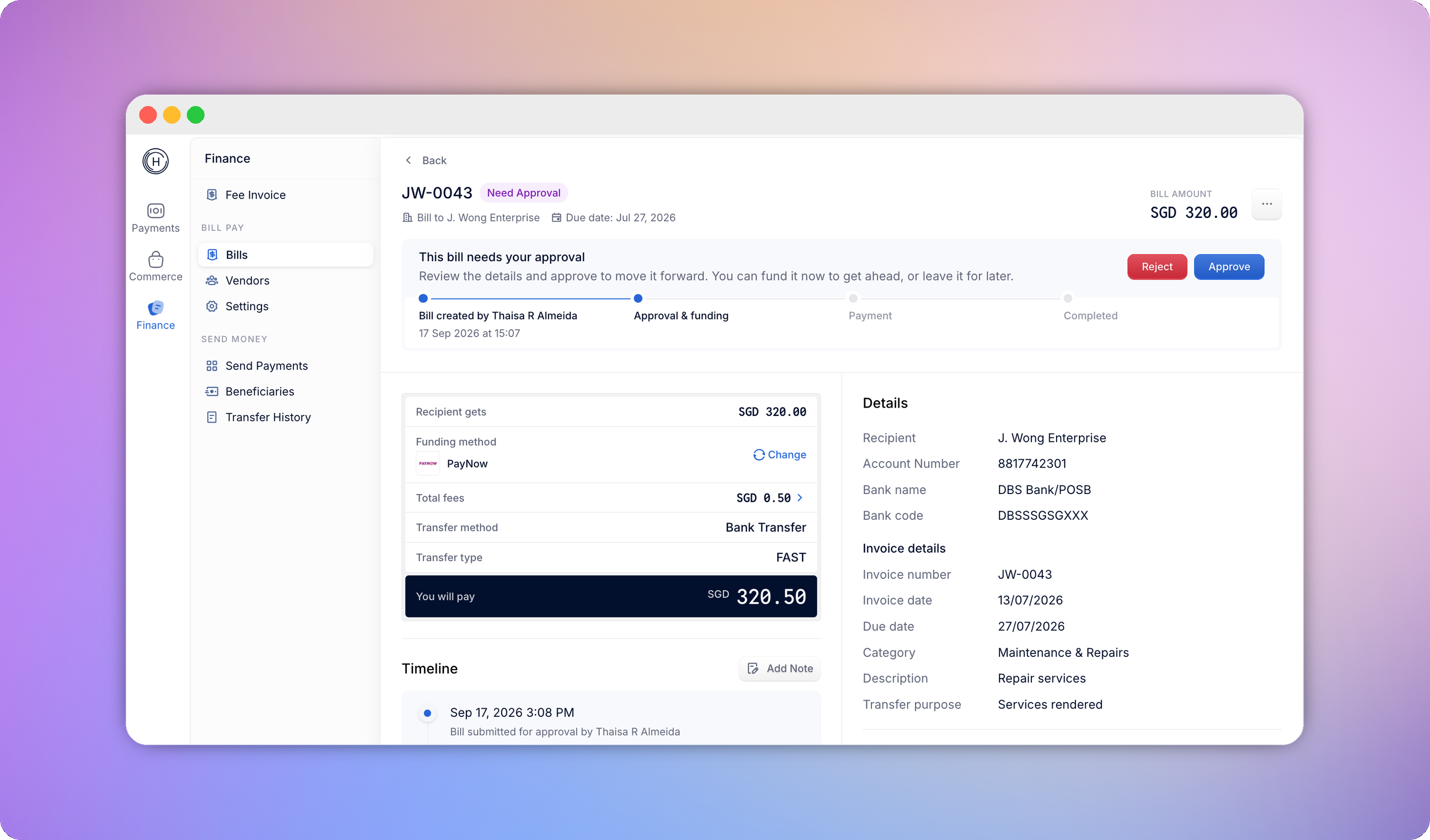
Anyone assigned as an approver sees the bills currently waiting on them, and is notified whenever a bill enters a step they’re responsible for.- Approve - the bill advances to the next step.
- Reject - requires a reason. The bill moves to Rejected, any funds already collected are returned to your HitPay Balance, and the submitter is notified.
Approving without paying
An Owner can approve a bill without funding it right away. The bill moves to Approved with the transfer still unfunded, so you can sign off for audit purposes and decide later when to actually send the money. Fund it whenever you’re ready using Fund TransferRecalling a bill
- Pending bills are directly editable - no recall needed.
- Need Approval or Approved bills must be recalled before they can be edited. Recalling clears the approval chain and returns the bill to Pending.