
Overview

DetailDescription
Fund Credit ToCard Balance (Local) / HitPay Balance (Cross-Border)
Instant (Local) / T+3 (Cross-Border)
THB
THB
Minimum AmountTHB 10 (Local) / THB 20 (Cross-Border)
Maximum AmountTHB 999,999.99 (Local) / THB 1,500,000 (Cross-Border)
Daily LimitBank-specific limits (Please consult your bank)
Refund Supported
Supported for online transactions
Supported for in-person transactions (Embedded QR Code)✓ (Cross-border only)
Supported CountriesALL (Cross-border Payment Method and Local)
Transactions FeesContact Sales

Setup

To set up PromptPay as a payment method, follow these steps:
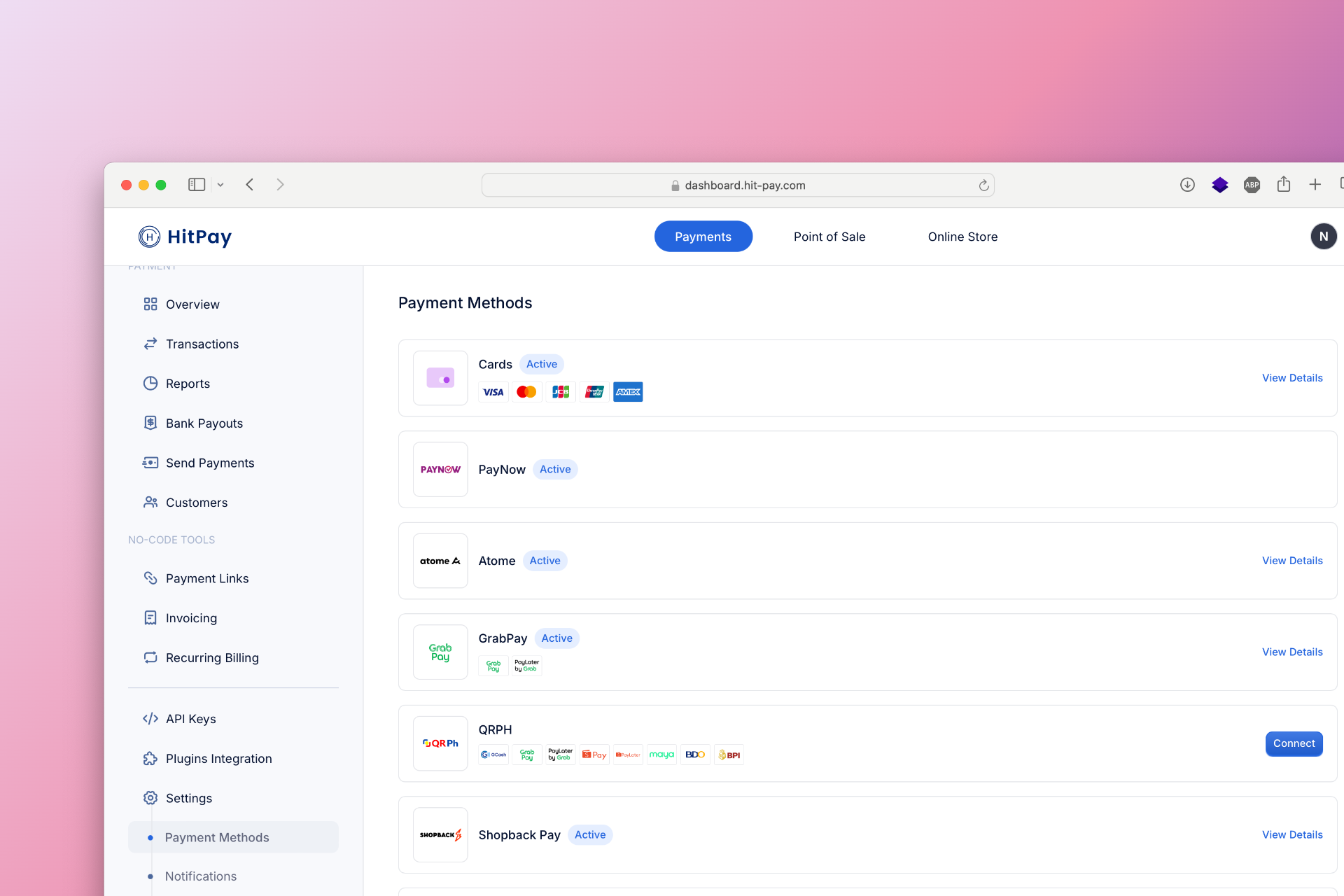
  1. Navigate to Settings in your HitPay dashboard.
  2. Click on Payment Methods.
  3. Enable Cards and Ewallets. PromptPay will be automatically activated once you have successfully onboarded onto Cards and Ewallets.
Developer Section

FeatureDescription
Method Code (Local)promptpay_th
Method Code (Cross-border)opn_prompt_pay
Sandbox Testing
Refund API Support
Supports Embedded QR✓ (Cross-border only)
Drop-in UI Support✕ Coming soon

FAQs

Coming soon. Please contact our support team if you have any questions - we are here to help.