> ## Documentation Index
> Fetch the complete documentation index at: https://docs.hitpayapp.com/llms.txt
> Use this file to discover all available pages before exploring further.
# Audit Logs
## Overview
The Audit Logs feature in HitPay provides business owners and administrators with detailed records of critical system activities. This improves transparency, accountability, and security by capturing actions at both the business level and the user level.
## Business-Level Audit Logs
Business audit logs can be found in the **Settings** section under **Audit Logs**.
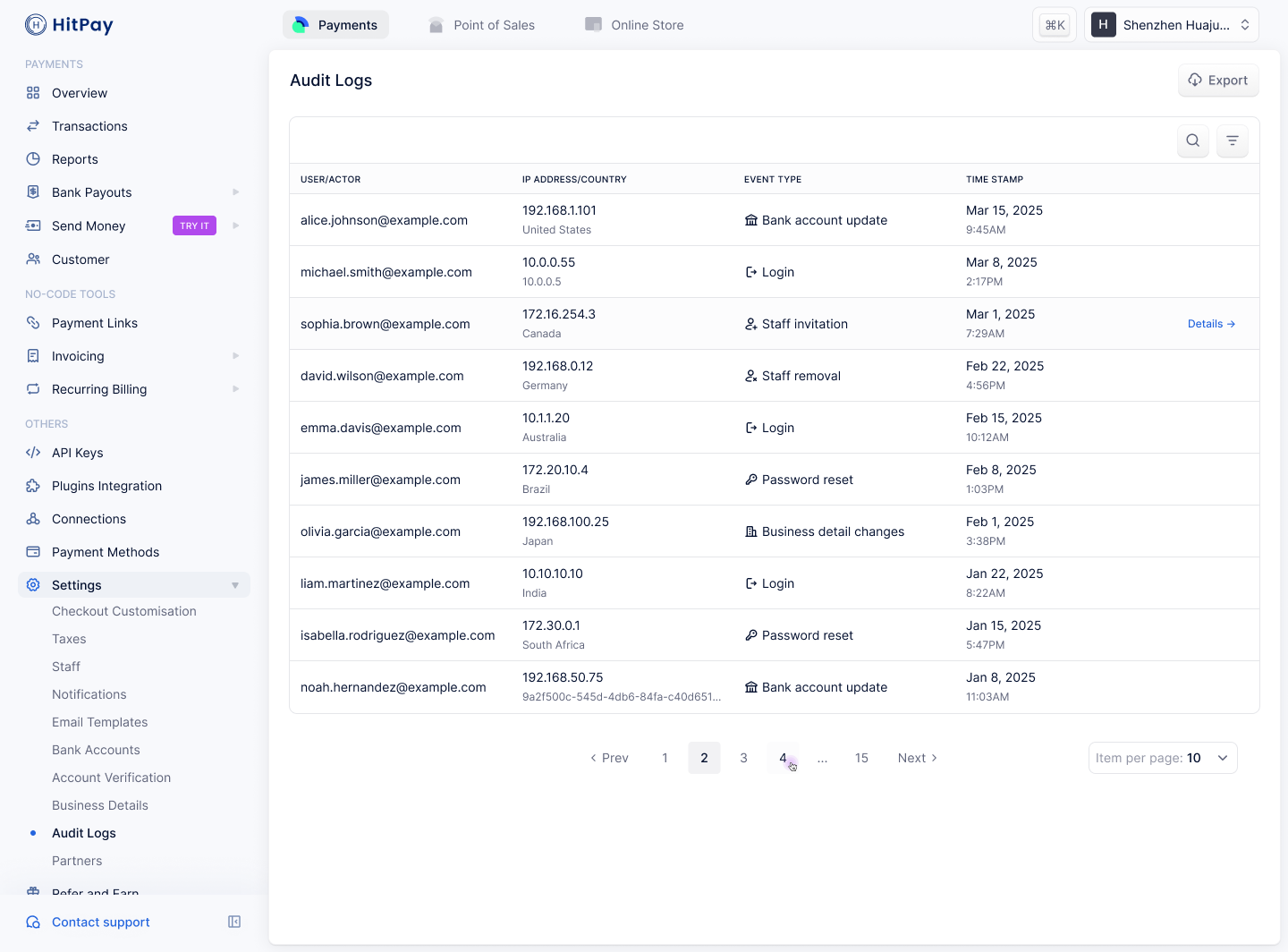 | **Event Type** | **Description** |
| ---------------------------------- | ---------------------------------------------------------------------------- |
| Bank account updates | Logs any changes made to linked bank accounts. |
| Staff invitations & deletions | Tracks when staff members are added or removed. |
| Business detail changes | Records updates to registered business information. |
| Account verification modifications | Captures updates to business verification status. |
| Role modification attempts | Logs all attempts to change staff roles (successful or failed) for security. |
## User-Level Audit Logs
User audit logs can be found in the **Security** section under **Audit Logs**.
| **Event Type** | **Description** |
| ---------------------------------- | ---------------------------------------------------------------------------- |
| Bank account updates | Logs any changes made to linked bank accounts. |
| Staff invitations & deletions | Tracks when staff members are added or removed. |
| Business detail changes | Records updates to registered business information. |
| Account verification modifications | Captures updates to business verification status. |
| Role modification attempts | Logs all attempts to change staff roles (successful or failed) for security. |
## User-Level Audit Logs
User audit logs can be found in the **Security** section under **Audit Logs**.
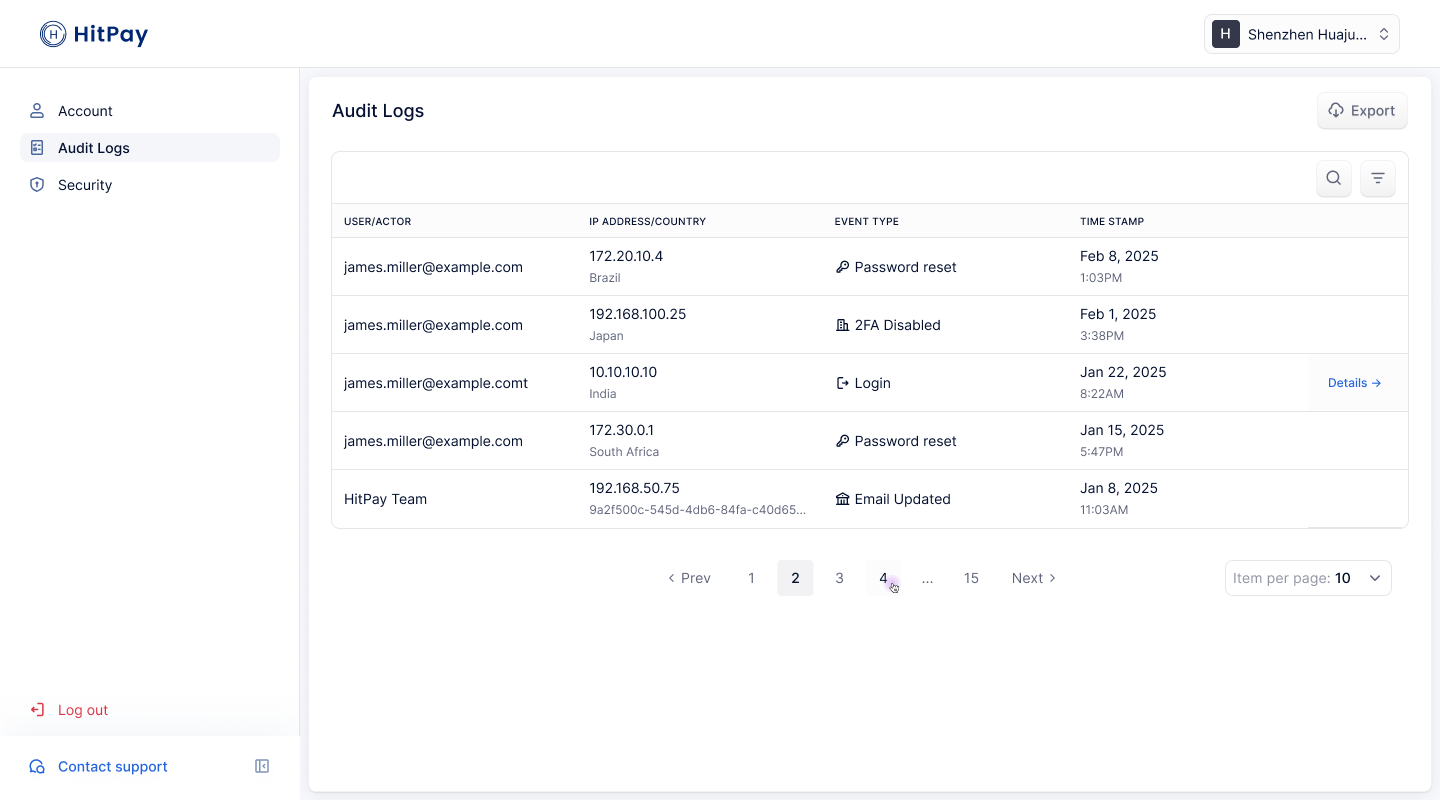 | **Event Type** | **Description** |
| ---------------- | -------------------------------------------------------------- |
| 2FA changes | Tracks when users enable or disable two-factor authentication. |
| Password changes | Records when users update their account password. |
| **Event Type** | **Description** |
| ---------------- | -------------------------------------------------------------- |
| 2FA changes | Tracks when users enable or disable two-factor authentication. |
| Password changes | Records when users update their account password. |