> ## Documentation Index
> Fetch the complete documentation index at: https://docs.hitpayapp.com/llms.txt
> Use this file to discover all available pages before exploring further.
# WHMCS
> Integrate HitPay payment gateway into your WHMCS store
## Account Setup
Before you begin integrating HitPay payments into your WHMCS store, you need to set up your HitPay account and ensure some prerequisites are met:
1. If you haven't already, create an account on [HitPay](/setup/account_creation).
2. Ensure that you have the necessary payment methods [activated](payments/online_payments#how-to-activate-payment-methods) in your HitPay account.
3. Make sure the payment methods you want to offer are [enabled](/payments/online_payments#how-to-enable-payment-methods) in your WHMCS sales channel.
## Installation
[https://github.com/hit-pay/WHCMS-extension](https://github.com/hit-pay/WHCMS-extension)
After following the installation guide on Github, ensure that you complete your [Integration Settings](https://hitpay.mintlify.app/payments/online_payments#how-to-enable-payment-methods) for WHMCS to complete the integration to your website:
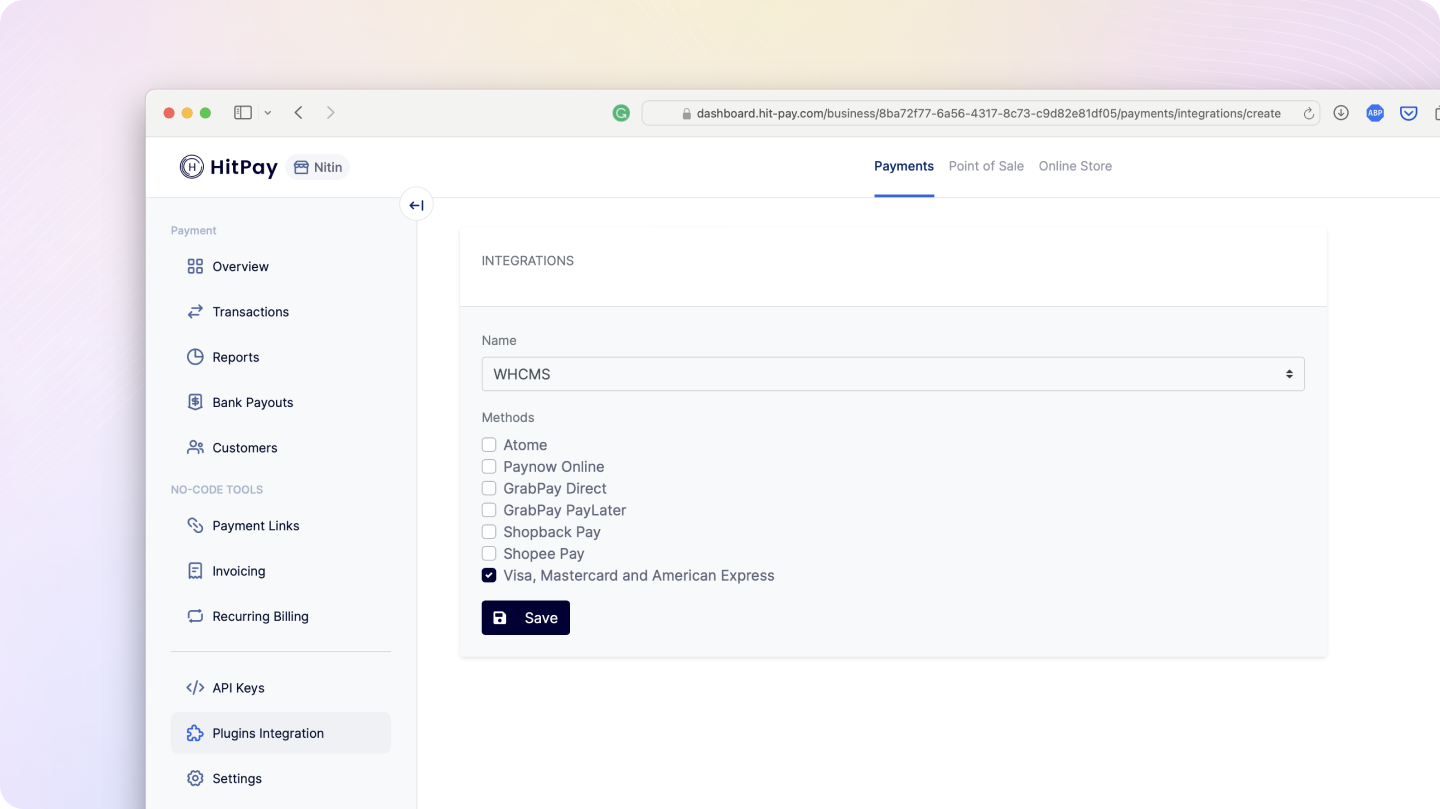 That’s it! You’re all set up with HitPay on WHMCS. 🎉
## FAQs
No, HitPay does not send an email confirmation to your customer if the payment is made through WHMCS. This is because WHMCS, by default, sends an email to your customer with the order details. To prevent duplicate emails, HitPay does not send an additional email to your customers. As a merchant, you will receive a payment alert email.
That’s it! You’re all set up with HitPay on WHMCS. 🎉
## FAQs
No, HitPay does not send an email confirmation to your customer if the payment is made through WHMCS. This is because WHMCS, by default, sends an email to your customer with the order details. To prevent duplicate emails, HitPay does not send an additional email to your customers. As a merchant, you will receive a payment alert email.