> ## Documentation Index
> Fetch the complete documentation index at: https://docs.hitpayapp.com/llms.txt
> Use this file to discover all available pages before exploring further.
# AI Agent Skills
> Pre-packaged instructions that teach AI coding assistants (Claude Code, Cursor, GitHub Copilot, Windsurf) how to integrate HitPay
Integrate HitPay into your application using AI coding assistants like Claude Code, Cursor, GitHub Copilot, and Windsurf.
## What are Agent Skills?
Agent Skills are pre-packaged instructions that teach AI coding assistants how to integrate HitPay. Instead of reading through documentation, your AI assistant already knows:
* How to create payment requests
* When to use redirect vs. embedded QR checkout
* How to handle webhooks securely
* How to process refunds
You can tell your AI assistant "Add HitPay payments to my app" and it will generate the implementation.
## Installation
Install the HitPay skill in your project:
```bash theme={"system"}
npx skills add hit-pay/agent-skills
```
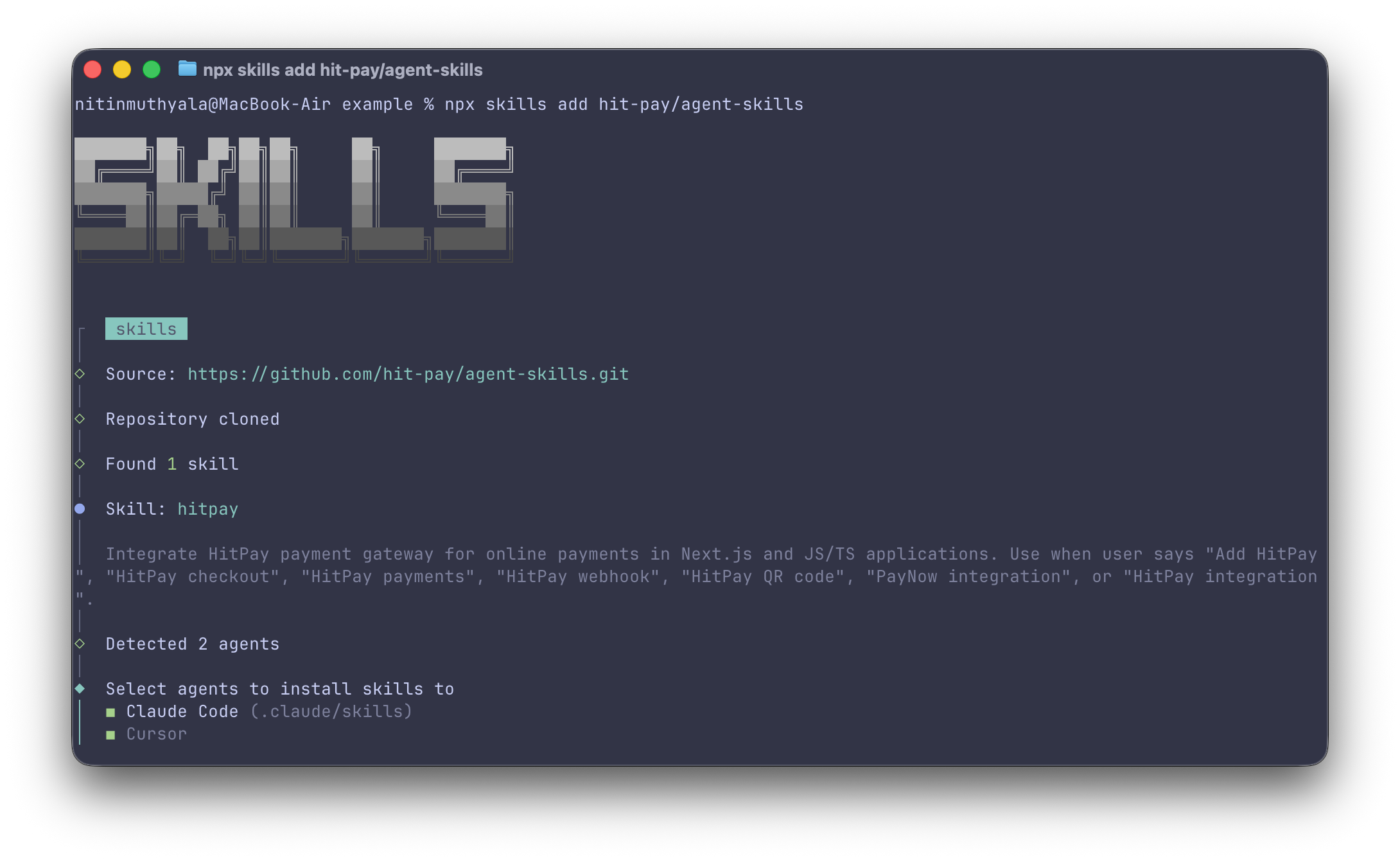 This works with:
* **Claude Code** (Anthropic)
* **Cursor**
* **GitHub Copilot**
* **Windsurf**
* Other AI coding assistants that support the Agent Skills format
## Usage
Once installed, just describe what you want in natural language.
### Examples
| Task | Prompt |
| ----------------------- | ------------------------------------------------------------ |
| Add a checkout flow | "Add HitPay payment integration to my Next.js app" |
| Create QR code payments | "Create a PayNow QR code checkout for my React app" |
| Handle webhooks | "Set up HitPay webhook handling with signature verification" |
| Process refunds | "Add a refund endpoint for HitPay payments" |
The AI assistant generates the code following the patterns in the skill (auth headers, webhook signature verification, error handling).
## What's Included
The skill covers:
| Feature | Description |
| ---------------- | ------------------------------------------------------- |
| Payment Requests | Create payments via redirect or embedded QR |
| Frontend Options | Redirect checkout, embedded QR, payment method selector |
| Webhook Handling | Signature verification, event processing |
| Refunds | Full and partial refund implementation |
| Code Examples | Next.js, Express.js, and vanilla TypeScript |
## How It Works
Run `npx skills add hit-pay/agent-skills` in your project
Tell your AI assistant what you want to build
The AI creates implementation following HitPay best practices
Modify the generated code for your specific requirements
## Prerequisites
Before using the skill, ensure you have:
1. **HitPay Account** - [Create an account](https://dashboard.hit-pay.com) or use the [sandbox environment](https://dashboard.sandbox.hit-pay.com)
2. **API Key** - Found in Settings → Payment Gateway → API Keys
3. **Webhook Salt** - Found in Settings → Developers → Webhook Endpoints
## Environment Variables
The generated code expects these environment variables:
```bash theme={"system"}
HITPAY_API_KEY=your_api_key
HITPAY_SALT=your_webhook_salt
NEXT_PUBLIC_APP_URL=http://localhost:3000
```
## Resources
View source and contribute
API Reference
Handle payment notifications
Test your integration
Live API access from inside Claude Code
Query your business data from an AI assistant
## Feedback
Have suggestions for the HitPay AI skill? [Open an issue](https://github.com/hit-pay/agent-skills/issues) on GitHub.
This works with:
* **Claude Code** (Anthropic)
* **Cursor**
* **GitHub Copilot**
* **Windsurf**
* Other AI coding assistants that support the Agent Skills format
## Usage
Once installed, just describe what you want in natural language.
### Examples
| Task | Prompt |
| ----------------------- | ------------------------------------------------------------ |
| Add a checkout flow | "Add HitPay payment integration to my Next.js app" |
| Create QR code payments | "Create a PayNow QR code checkout for my React app" |
| Handle webhooks | "Set up HitPay webhook handling with signature verification" |
| Process refunds | "Add a refund endpoint for HitPay payments" |
The AI assistant generates the code following the patterns in the skill (auth headers, webhook signature verification, error handling).
## What's Included
The skill covers:
| Feature | Description |
| ---------------- | ------------------------------------------------------- |
| Payment Requests | Create payments via redirect or embedded QR |
| Frontend Options | Redirect checkout, embedded QR, payment method selector |
| Webhook Handling | Signature verification, event processing |
| Refunds | Full and partial refund implementation |
| Code Examples | Next.js, Express.js, and vanilla TypeScript |
## How It Works
Run `npx skills add hit-pay/agent-skills` in your project
Tell your AI assistant what you want to build
The AI creates implementation following HitPay best practices
Modify the generated code for your specific requirements
## Prerequisites
Before using the skill, ensure you have:
1. **HitPay Account** - [Create an account](https://dashboard.hit-pay.com) or use the [sandbox environment](https://dashboard.sandbox.hit-pay.com)
2. **API Key** - Found in Settings → Payment Gateway → API Keys
3. **Webhook Salt** - Found in Settings → Developers → Webhook Endpoints
## Environment Variables
The generated code expects these environment variables:
```bash theme={"system"}
HITPAY_API_KEY=your_api_key
HITPAY_SALT=your_webhook_salt
NEXT_PUBLIC_APP_URL=http://localhost:3000
```
## Resources
View source and contribute
API Reference
Handle payment notifications
Test your integration
Live API access from inside Claude Code
Query your business data from an AI assistant
## Feedback
Have suggestions for the HitPay AI skill? [Open an issue](https://github.com/hit-pay/agent-skills/issues) on GitHub.